

Transferring Cloud Files to daDetective
Our Cloud Access Utility allows you to treat your files in the cloud like they are on your PC so you can select them from our Upload screen! We can also upload your files for you, Inquire about our White Glove Upload service!
1) Download our Setup utility Here, It will appear in your “Downloads” Folder
The Cloud providers listed below have their own utilities to do access files from your PC
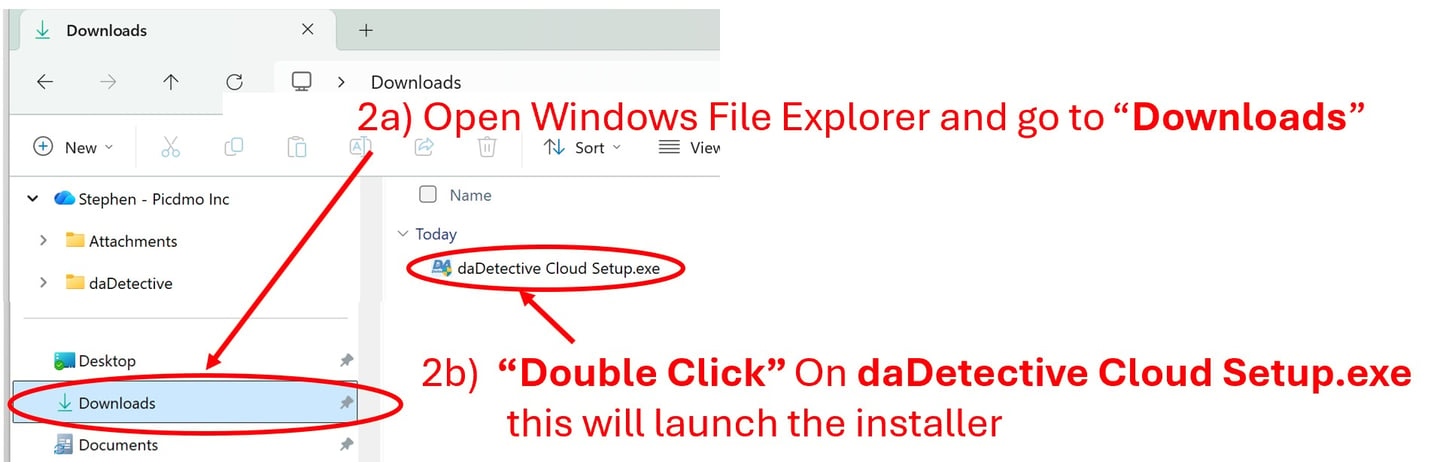
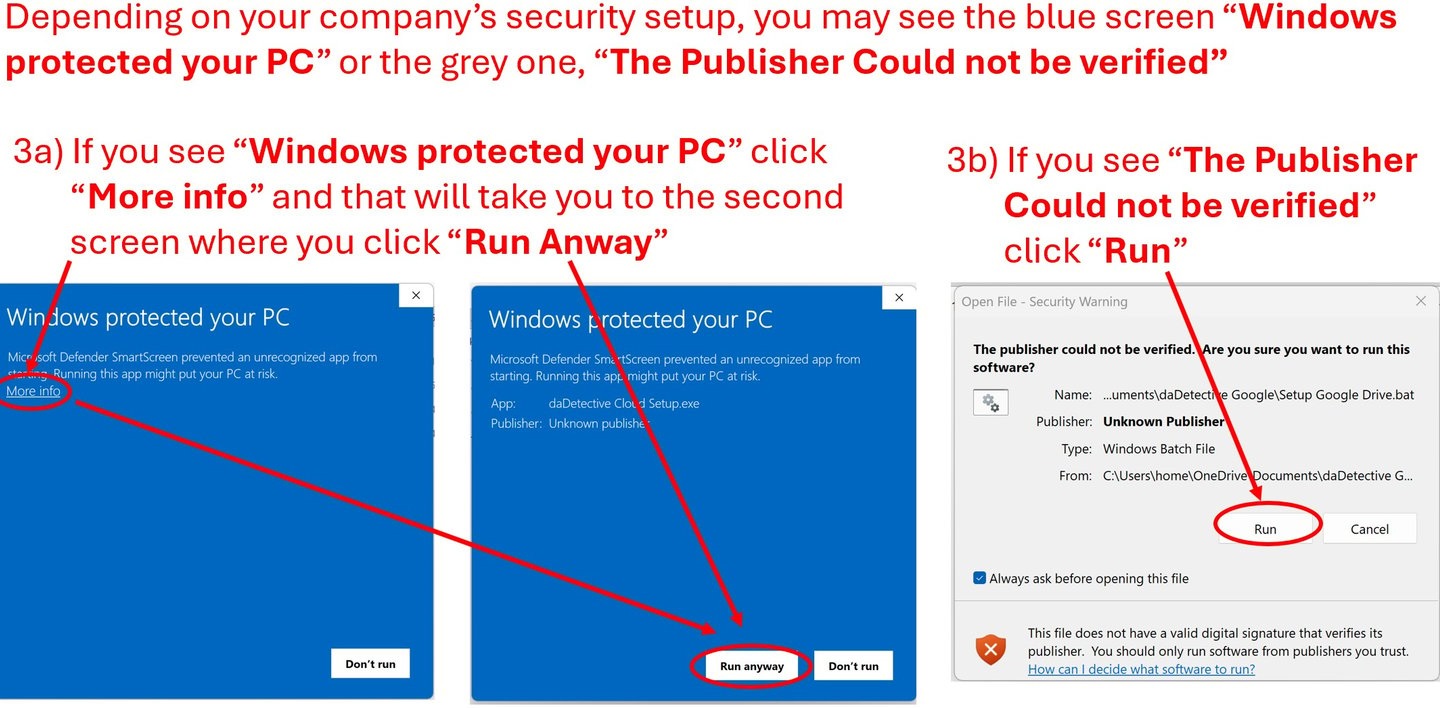
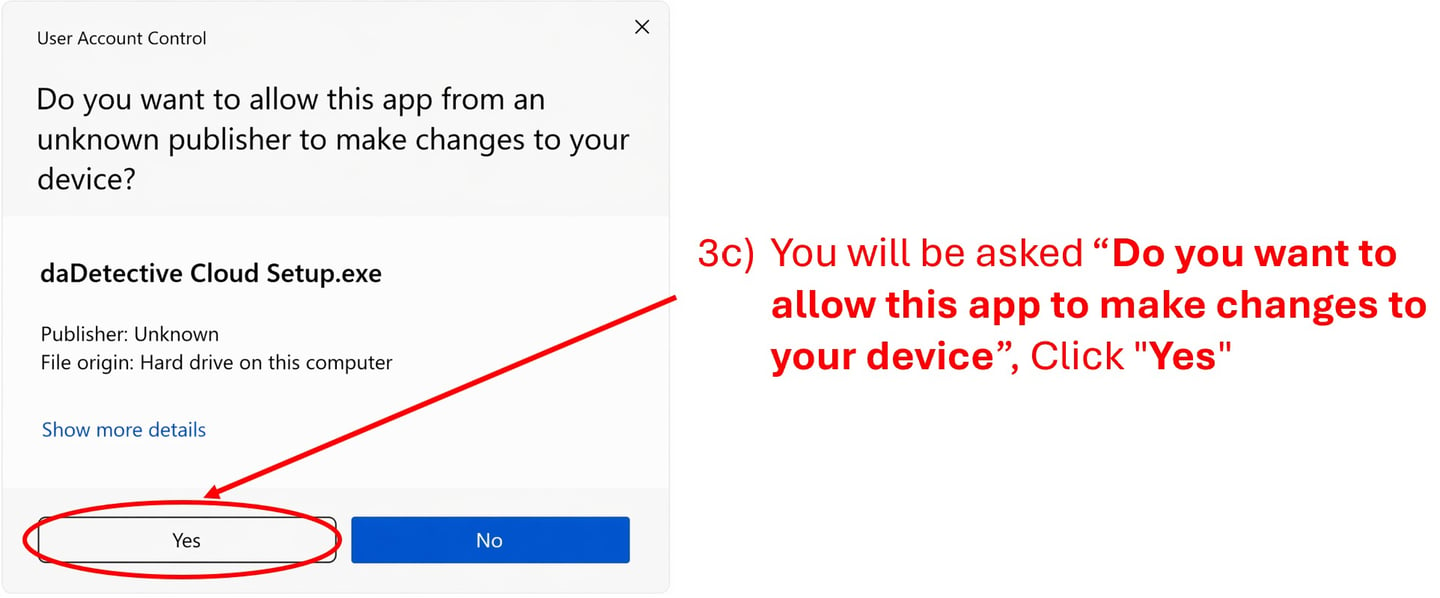
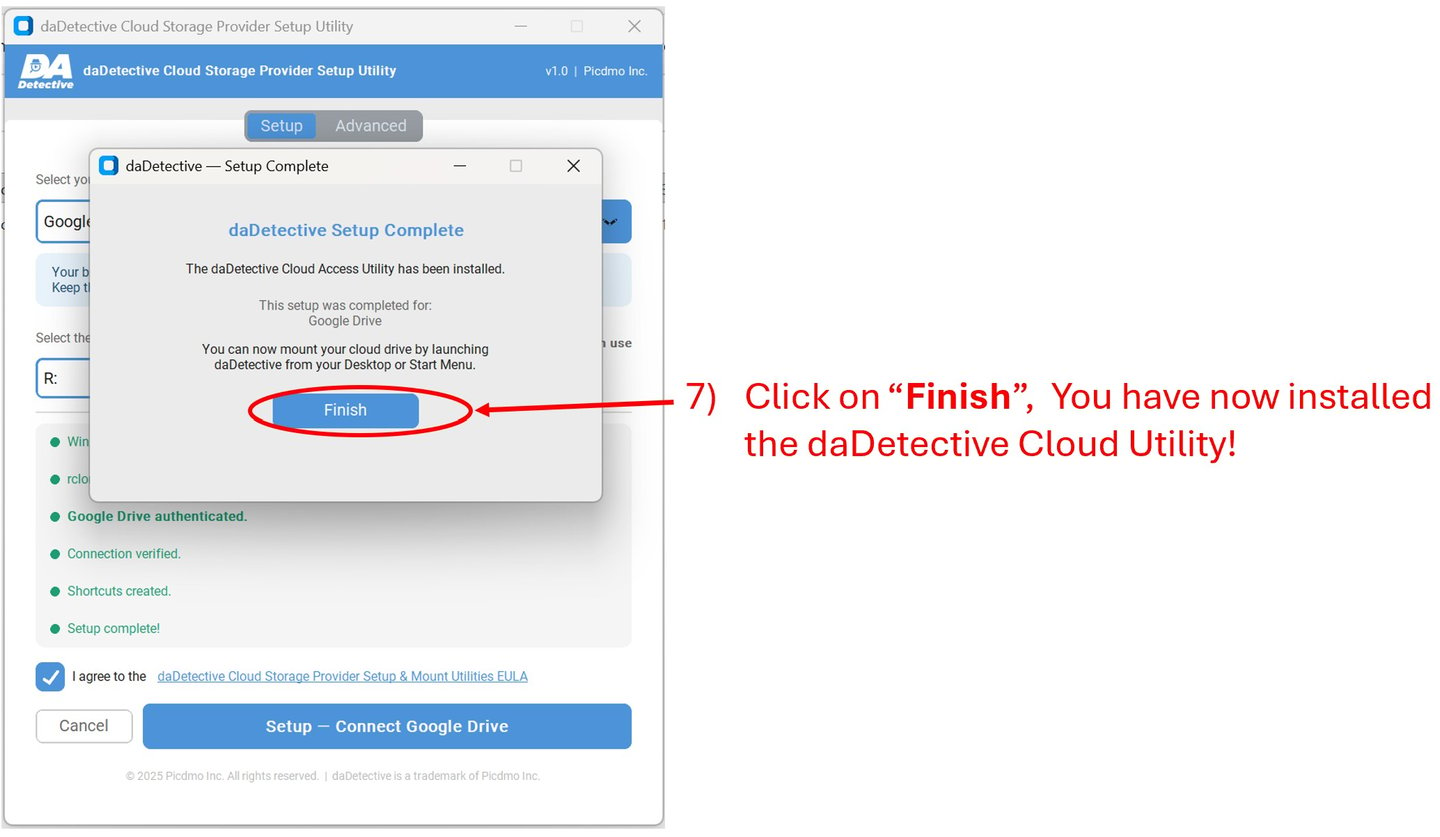
This will Launch the daDetective Cloud Drive Installer
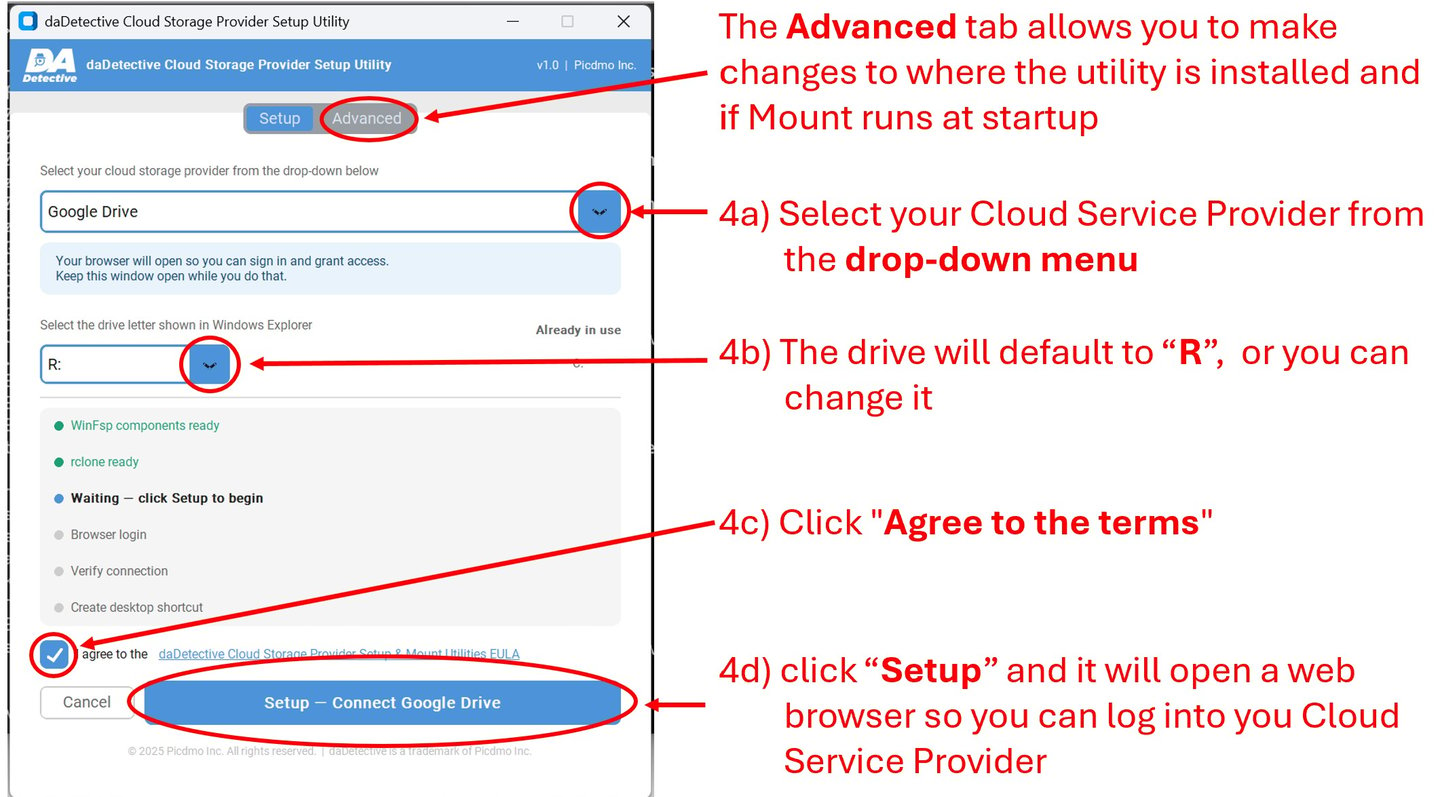
5a) Select your Cloud Service Provider from the drop-down menu
5b) The drive will default to “R”, or you can change it
5c) Click "Agree to the terms"
5d) Click "Setup - Connect xxxx Drive" (xxxx is your cloud service provider)
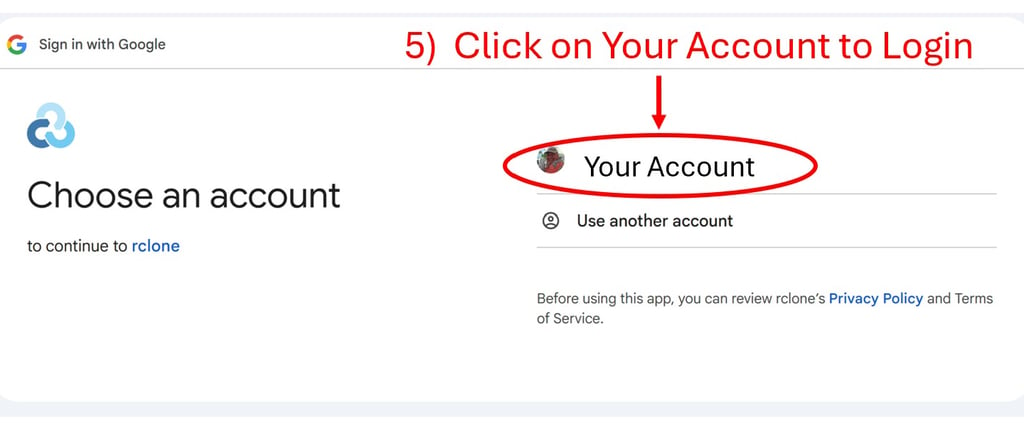
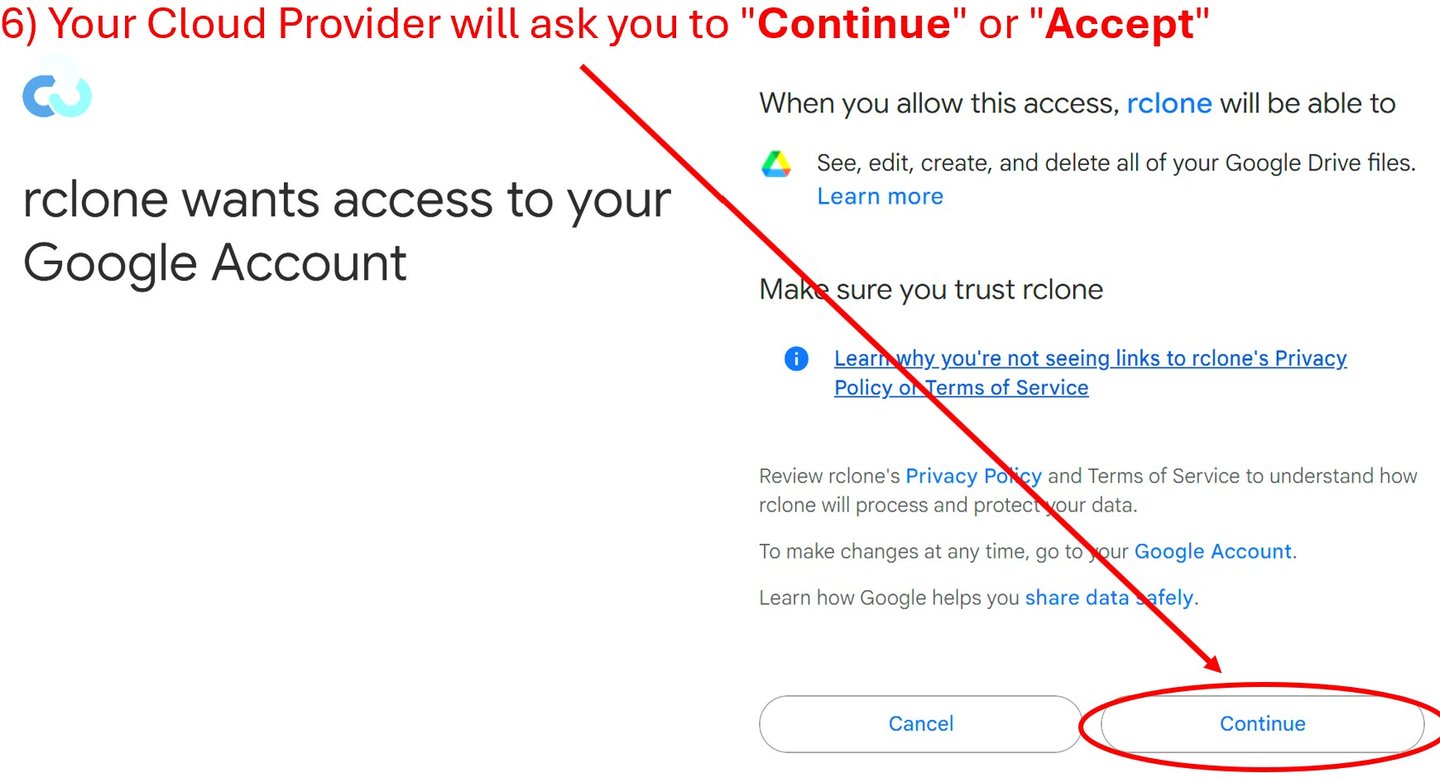
You will see a screen that says “Success” (Your provider may have a different message)

Alt – Tab back to the installer
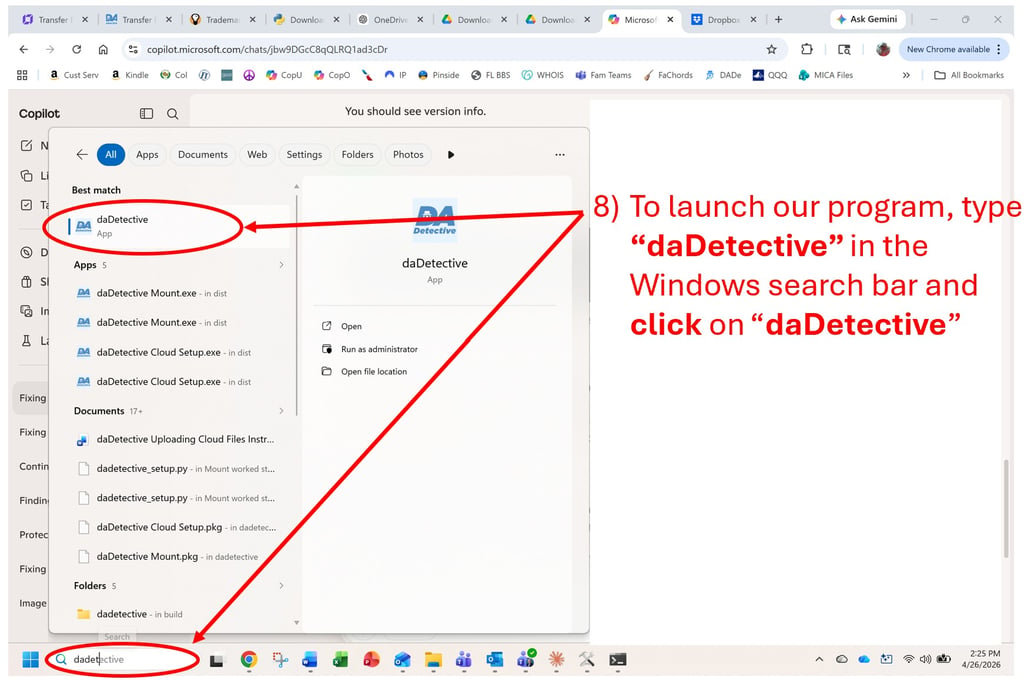
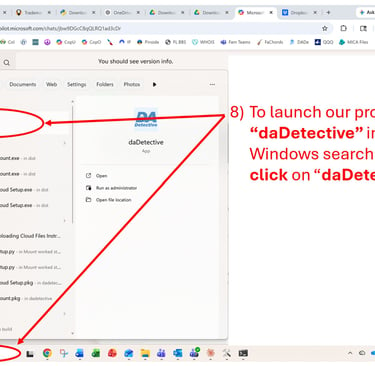
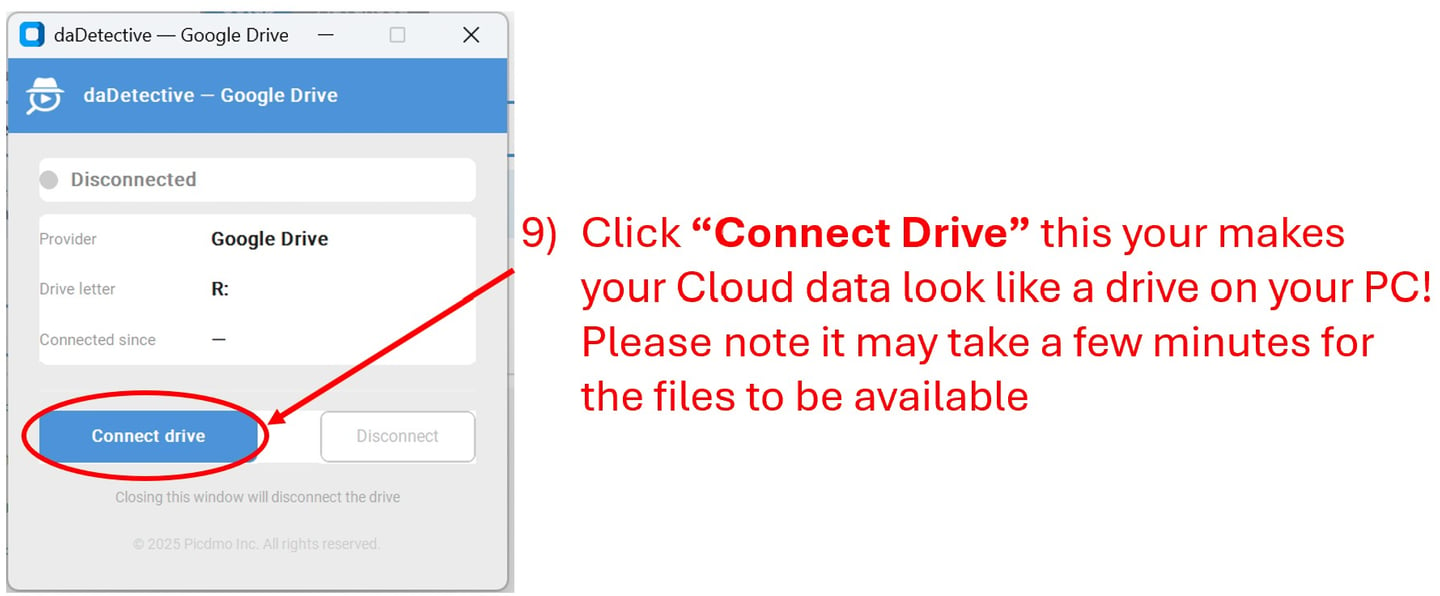
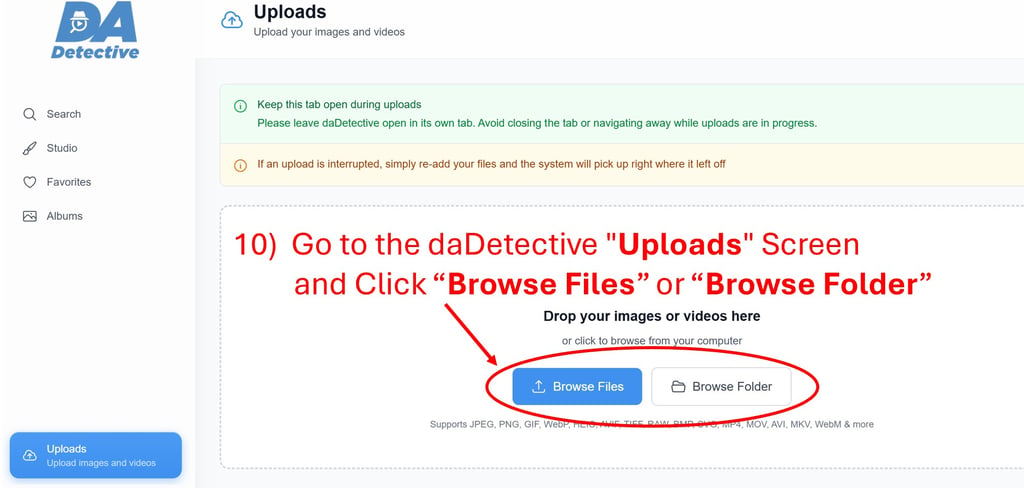
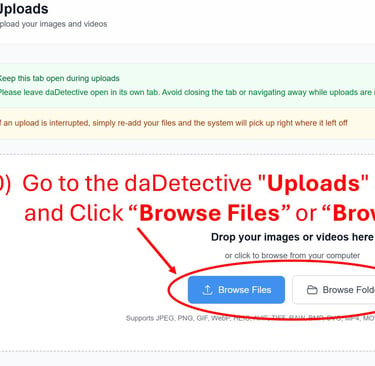
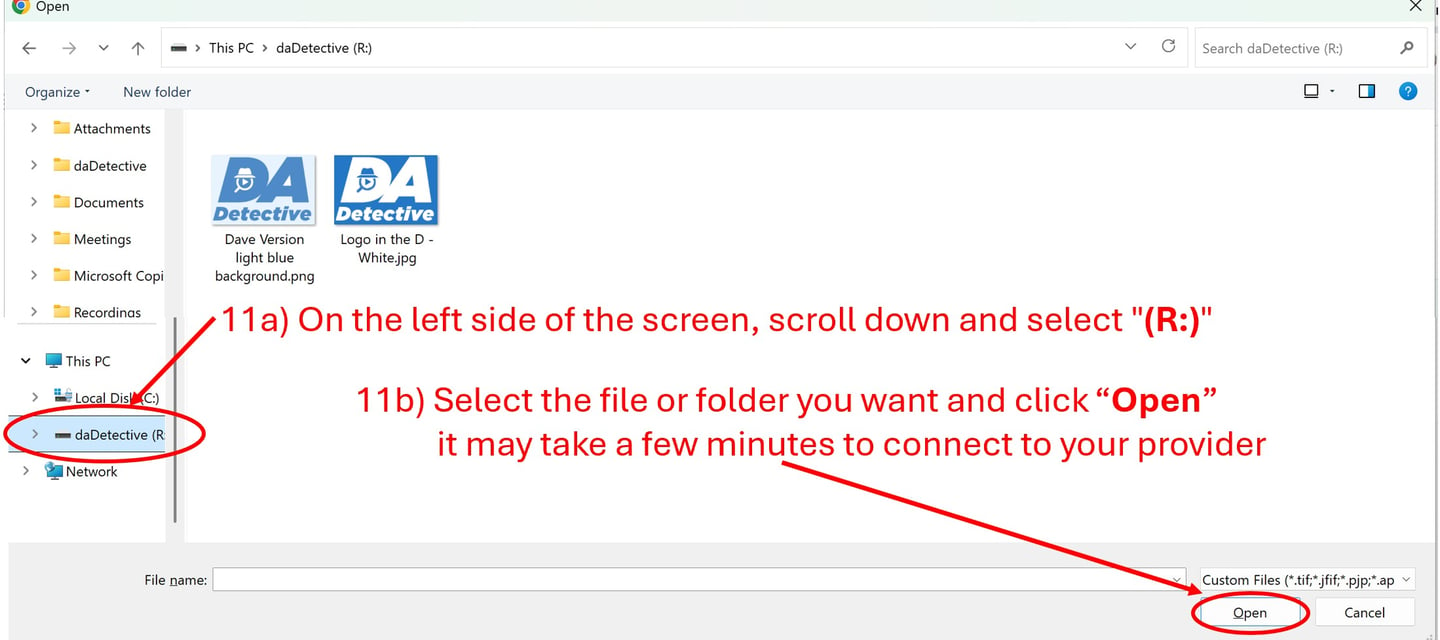
You can now access your files from the daDetective Uploads screen
Supported Cloud Providers
· Amazon S3 · Dropbox · MinIO / S3-compatible
· Backblaze B2 · FTP / SFTP · OneDrive
· Box · Google Cloud Storage · SMB / Windows Share
· Cloudflare R2 · Google Drive · Wasabi
· DigitalOcean Spaces · Linode Object Storage · WebDAV
These providers have their own tools to access files on your PC
Google Photos https://takeout.google.com/
Amazon Photos https://www.amazon.com/b?ie=UTF8&node=16384500011
iCloud Photos / iCloud Drive https://support.apple.com/en-us/103232
Adobe Creative Cloud Files https://www.adobe.com/creativecloud/desktop-app.html
Synology Drive / Photos https://www.synology.com/support/download
Technical Reference Section (Links download files)
Common Issues and their solutions
• I can’t see the “(R:) drive”, you closed the Mount App, reopen it
• Drive not visible. It can take up to 5 minutes for our tool to connect to your provider
To Learn About Our White Glove Service fill out the form below
Sound Interesting? Let's Talk!